
Powder now includes a simple utility class you can apply to any link to automatically display an external-link icon. Add a single class and the icon is handled for you—no custom markup, no extra assets, no fuss.
Sometimes there’s a practical need to visually signal that a link opens to another page, whether for accessibility, clarity, or user trust. This utility gives you that option without forcing it into your design system, keeping the interface clean while still supporting those who need the cue.
This is an example sentence which includes an external link.
Add External Link Icon
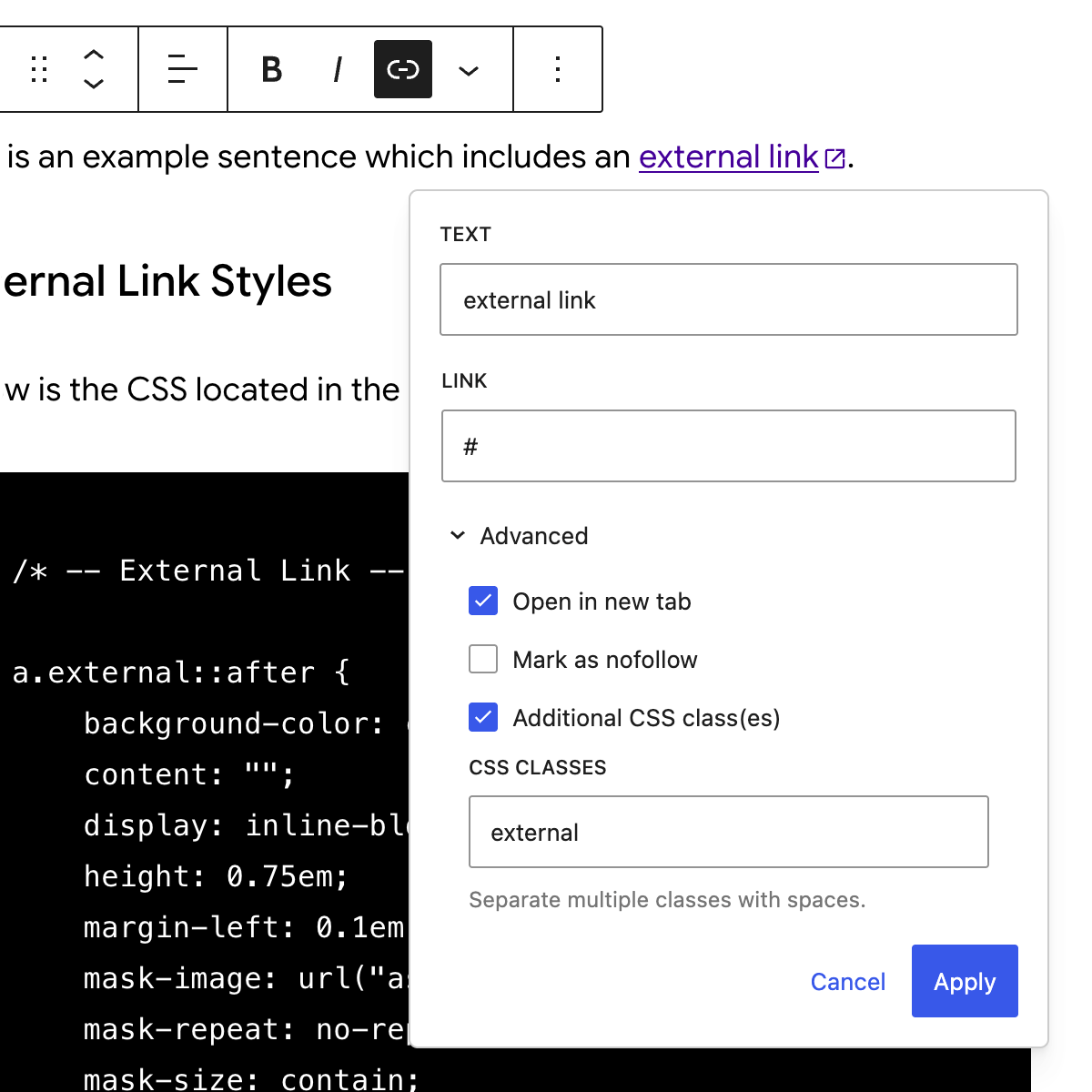
Select the text you want to mark as external, add your link URL, enable Open in new tab under Advanced, then enter external in Additional CSS class(es) as shown below:
External Link Styles
Below is the CSS in the Powder theme style sheet for the .external link:
/* -- External Link -- */

a.external::after {
	background-color: currentColor;
	content: "";
	display: inline-block;
	height: 0.75em;
	margin-left: 0.1em;
	mask-image: url("assets/icons/icon-external.svg");
	mask-repeat: no-repeat;
	mask-size: contain;
	vertical-align: middle;
	width: 0.75em;
}